Pulling images from a private registry with kubernetes
In this example I am going to use Harbor.
For the sake of best practices and security we first have to create a robot account on harbor :
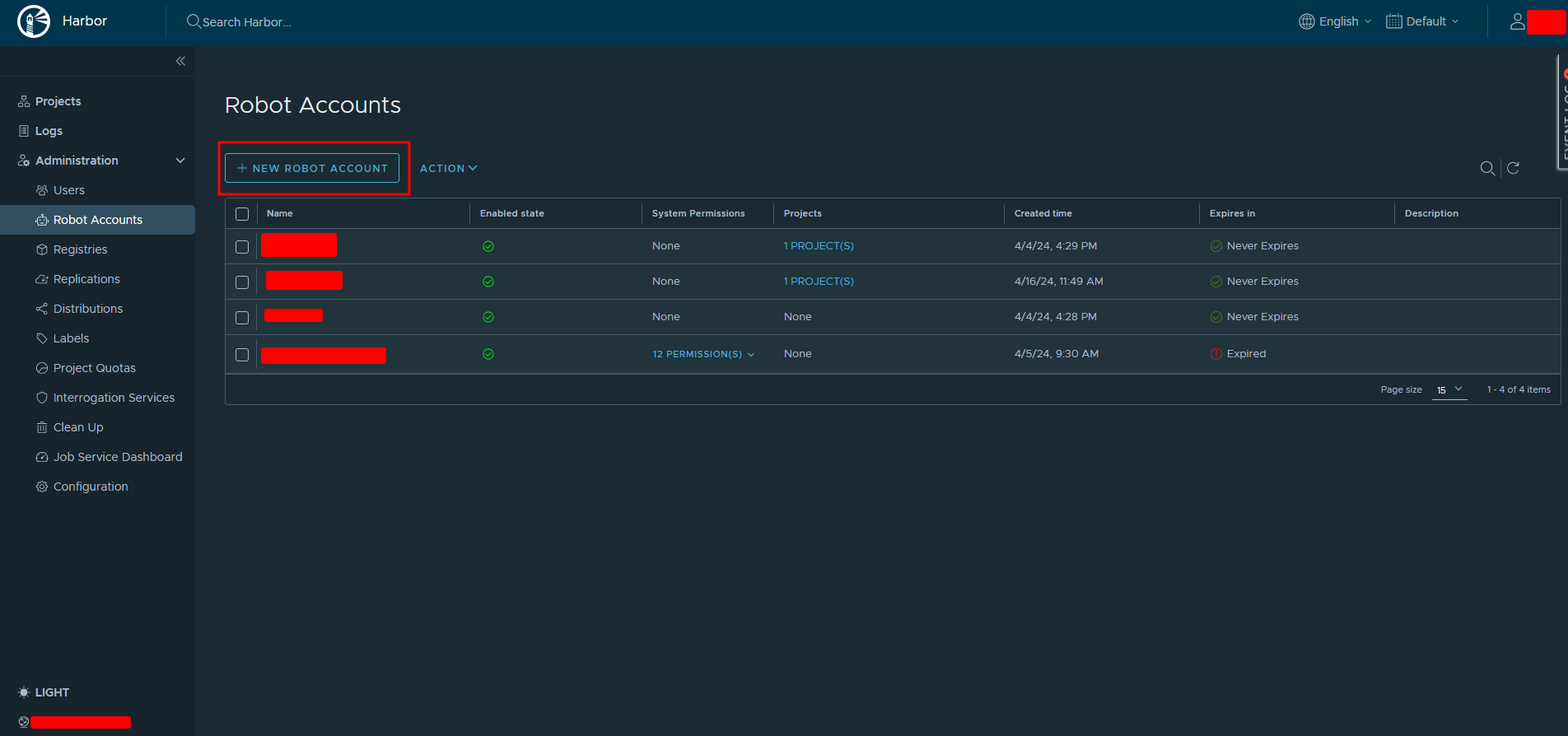
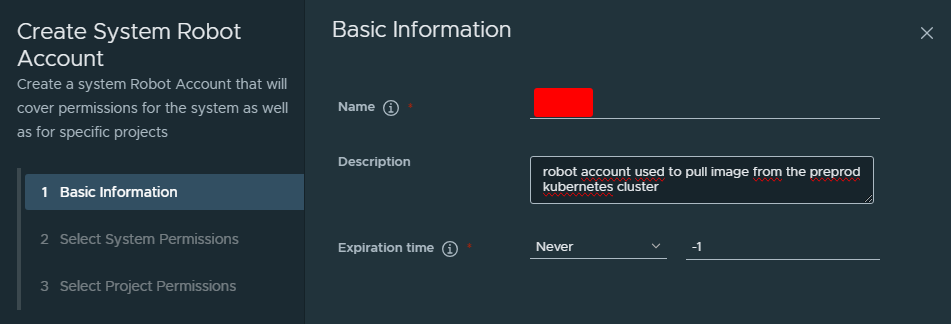
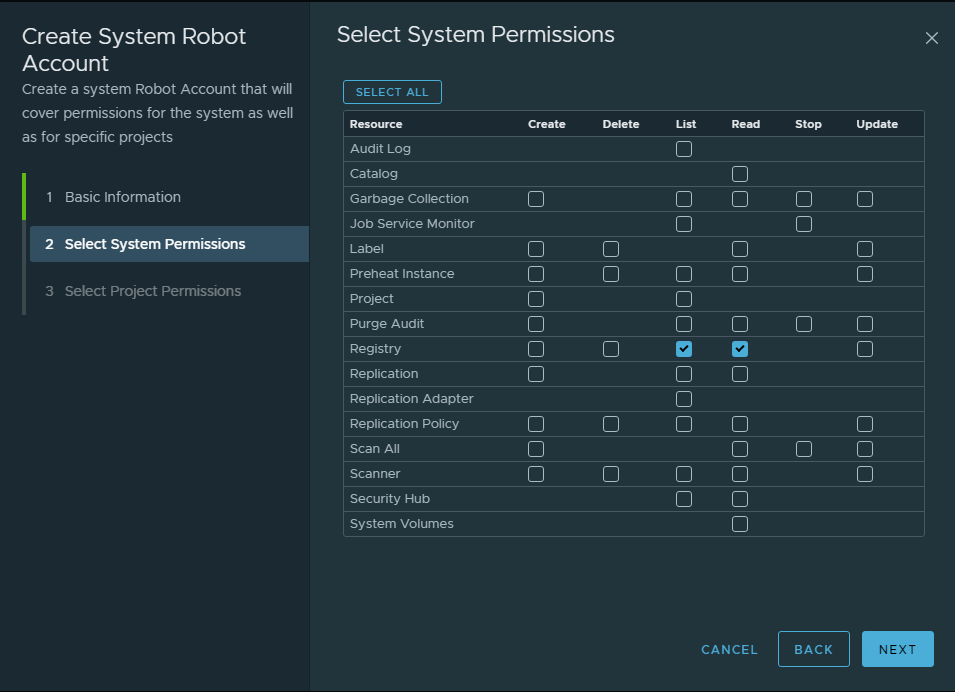
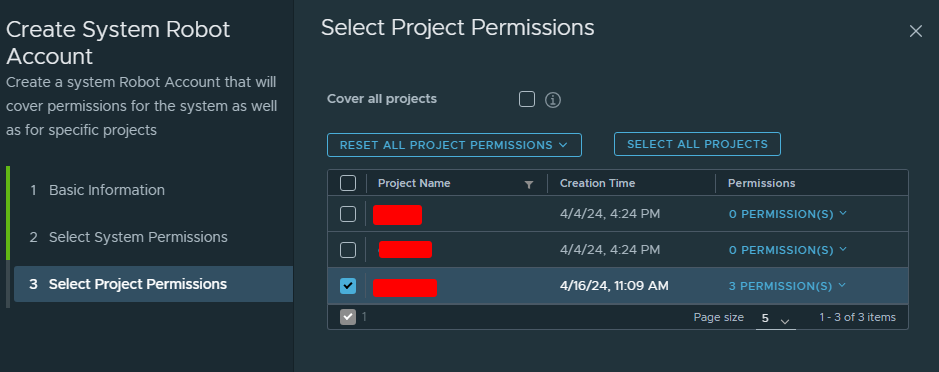
Then select the harbor repo on which the robot account will have these permissions :
You then have a confirmation message from harbor, keep the secret : we will register it into a kubernetes secret in our cluster.
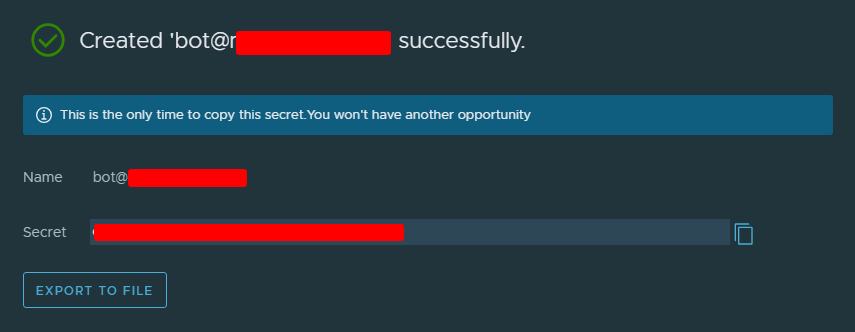
Now that we’ve created the robot account we can login inside one of our cluster machine (the one you are using kubeadm on) and create a secret containing the robot account secret we’ve copied earlier.
Beware that you should create the secret in the proper namespace !
kubectl create secret docker-registry harbor-preprod-robot \
--docker-server=<harbor-registry-fqdn> --docker-username=<robot-username> --docker-password=<robot-secret> -n <your-namespace>
--docker-server: you should put the registry fully qualified domain name but do not forget to add the project and repository path to the address. If our project on Harbor is named foo the the address should be : --docker-server=<harbor-registry-fqdn>/foo. This is important because the robot account has rights only on this project and not on the other ones, not mentioning the project inside the docker-server address will result in an error during the image pull.
The secret is now active :

You can verify its information with this command :
kubectl get secret harbor-preprod-robot --output="jsonpath={.data.\.dockerconfigjson}" | base64 --decode
And then decode the base64 encoded text with this one :
echo "c3R...zE2" | base64 --decode
Finally, add the imagePullSecrets property and use the secret inside your deployment manifest :
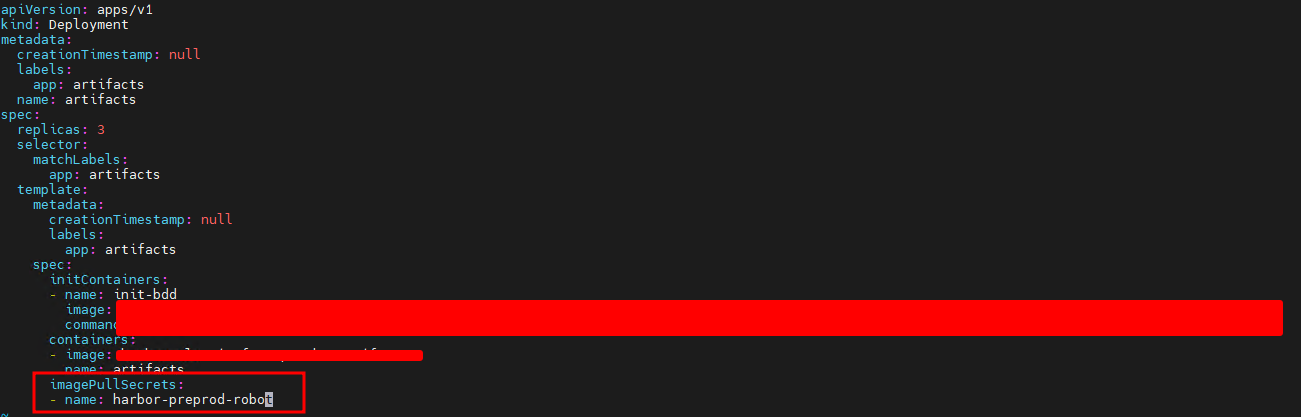
Here it is important to mention the tag of the image you want to pull in your deployment. Kubernetes want pull the “latest” image if you don’t specify it, the pull will just crash.
Your deployment should now be fully ready to be created and in capacity to pull images from your private Harbor registry.